This post is a bit late in coming but I can’t complete this walk without an explanation of how we (well, mostly Michael) navigated our way these past 900 km.

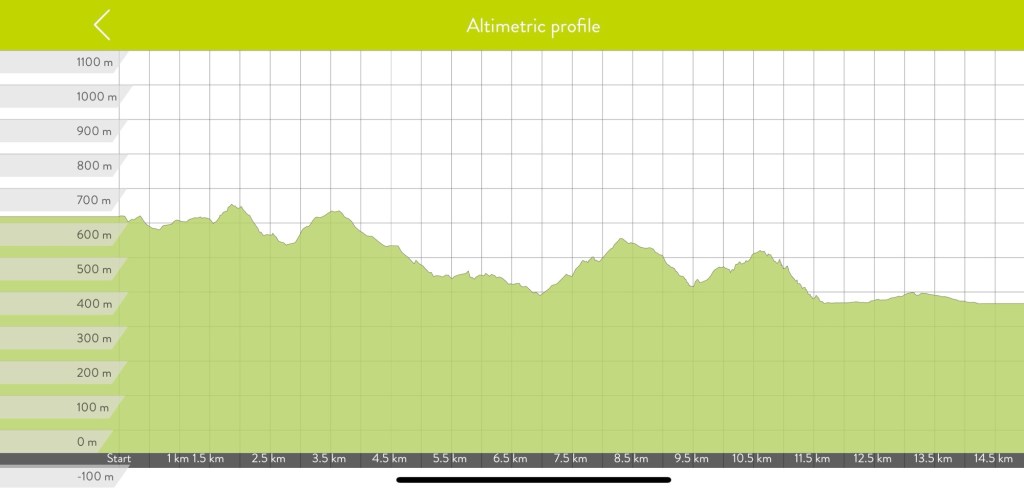
We were given the Active Nav app by S Capes which has our route specifically tailored to us and where we’d be staying. Maps which we could download and use offline, altimetric maps showing ascents, descents, steepness etc, explanations of the terrain and so on. Very helpful. But, besides being glitchy – as in having to reopen the app and navigate to the specific map each time we had to check our way and after steeply climbing, only to steeply descend when there were other less taxing & more direct routes to arrive at our destination(s) Mike decided to check out other apps that featured the Via Francigena. He discovered the All-trails app had all the stages of the Via, not exactly the same start and end points, as the ones we were provided. He liked it much better because it wasn’t glitchy and tracked our distance and time plus any deviations we took to the route(s). Added to that was a record of exact locations pictures were taken… ALL of which the first app didn’t. All Trails also showed there were alternate, more feasible routes as well as having pictures showing the terrain the trails covered.
Mike also used Gaia, more in the beginning but found All trails better. I used Gaia just to keep track of the kilometers we walked every day.
Once we got close to the town where our accommodation was, Mike would switch to Google maps as often, our accommodation was not along the Via but necessitated a bit of a detour and was sometimes difficult to find, especially when we were tired after walking 20+ kilometers. Mike, previously an Apple maps guy found Google maps provided much more information about local amenities and, if necessary public transport – buses & trains. Apple only showed train stations, which is of no help in villages and towns with no train service but, having bus service.
Huge kudos to my Michael. The only thing I did was watch for the red and white markers indicating the Via route. Michael edit here – watching the trail markings are as vital as the apps… there were and I expect will be more times where the apps are flat out wrong – as in multiple times leading us to pedestrian bridges that were closed off. So my Tilly deserves 2 kudos too… she provides the final check on our way.
Just a clarification… we don’t spend every minute on the trail staring at our smartphones. We only use them when a direction or way marker is confusing.
 ENIGMAS
Kudos to you both! Bravo! You’re inspirational. Love the photos!